 Reading ListAtomic Habits
Atomic Habits
- Author
- James Clear
- Cover
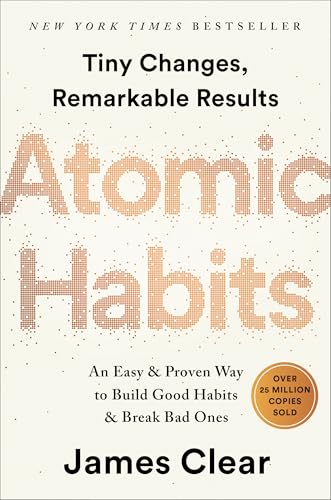
- Status
- Reading
- Progress
- 64.1%
Outcomes are about what you get. Processes are about what you do. Identity is about what you believe. (Location 456)

Kindle highlights → Notion
Keep the ideas you underline close. Bookworm syncs your Kindle highlights to Notion daily, organized by book and ready to revisit.
Chrome extension · 30-day Premium trial

Your Kindle highlights and reading progress sync to Notion automatically, once a day.
Reading ListAtomic HabitsOutcomes are about what you get. Processes are about what you do. Identity is about what you believe. (Location 456)
Product preview. Daily syncing requires Premium, Chrome running, and an active Bookworm and Amazon sign-in.
Bring your Kindle highlights into Notion, ready to revisit when you write, study, or want to remember an idea.
Keep highlights on their book’s Notion page, alongside its details and your reading progress.
Premium checks for new highlights once a day while Chrome and the Bookworm extension are running.
How it works
Set up on a computer, then keep reading as usual. Your highlights have a place to land.
Start setup on your computer and install the Bookworm extension. Pin it to your toolbar for easy access.
Follow setup to connect your Notion workspace and share the databases Bookworm needs. Sign in to the Amazon account you use for Kindle.
Read and highlight as usual. Once your highlights appear in Amazon’s Kindle Notebook, Bookworm can bring them into Notion.
Install the Bookworm Chrome extension, connect your Notion workspace, and sign in to your Kindle’s Amazon account. With Premium, Bookworm checks for new highlights daily and saves them to your book pages in Notion.
No. Keep Chrome open with the extension running, and stay signed in to Bookworm and Amazon. The daily sync runs through the Chrome extension. You can also choose Sync Highlights in the extension to sync immediately.
Highlight syncing supports books purchased from the Kindle Store whose highlights are available in Amazon’s Kindle Notebook. Sideloaded books, including books added by USB or email, are not currently supported.
Choose your Amazon Region in the Bookworm extension’s settings to match the store your Kindle account uses. Stay signed in to that account in the same browser as the extension.
Automatic highlight and reading progress syncing are Premium features. Premium includes a 30-day free trial. See the pricing section for current monthly and yearly plans. The Free plan includes saving books to your reading list, manual progress updates, and sending Notion pages to Kindle.
Already connected? Get help with highlights not syncing.
Connect Kindle and Notion with Bookworm. Try daily highlight syncing free for 30 days.
Start syncing highlights