Your Kindle progress,
up to date in Notion.
Bookworm syncs how far you are in each Kindle book to your Notion reading list, automatically. Your reading tracker fills itself in while you read.
Chrome extension · 30-day Premium trial

Read on Kindle.
Watch the bar move in Notion.
Bookworm reads where you are in each Kindle book and updates that book in your Notion reading list, once a day.

 Reading List
| Title | Status | Locations Read | Locations Total | Reading progress |
|---|---|---|---|---|
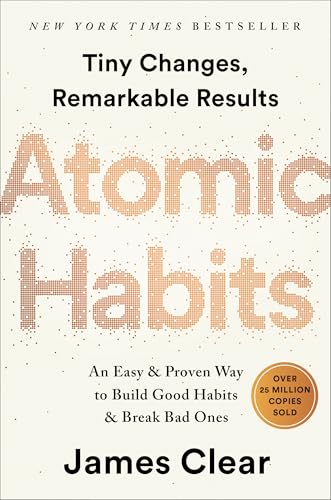 Atomic Habits | Reading | 456 | 712 | 64% |
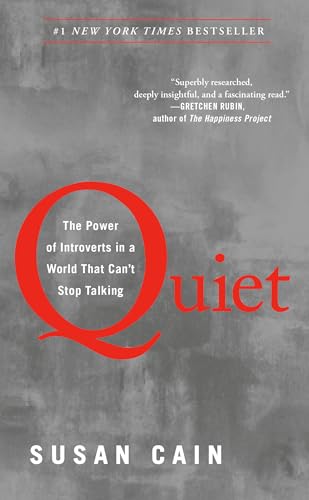 Quiet | Reading | 280 | 1000 | 28% |
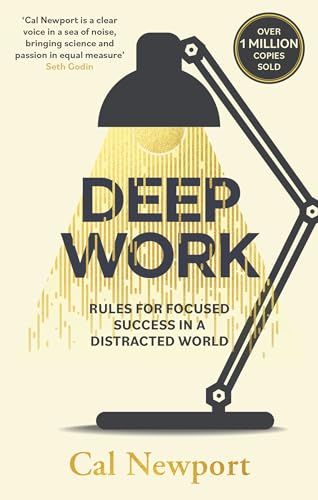 Deep Work | Finished | 840 | 840 | 100% |
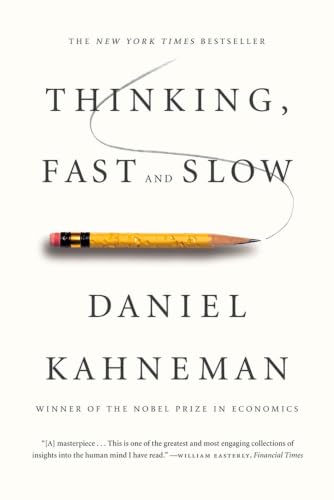 Thinking, Fast and Slow | To Read | 0 | 1480 | 0% |
Product preview. Daily syncing requires Premium, Chrome running, and an active Bookworm and Amazon sign-in.
What syncs
Progress, in your
own Notion columns.
Bookworm writes to the reading list database you already use. You choose which columns it fills, and name them how you like.
- Locations ReadNumber
- Your current Kindle location in the book.
- Locations TotalNumber
- The total number of Kindle locations in the book.
- Reading progressFormula
- Locations read divided by the total. Bookworm can add this formula for you. Show it as a percentage and a bar.
- StatusStatus
- Set to your finished status when your Kindle reaches the end of the book.
- Completed AtDate
- The date you first finished the book.
How it works
How to sync Kindle
progress to Notion.
Set up once on a computer. After that, the only thing left to do is read.
Install Bookworm in Chrome
Start setup on your computer and install the Bookworm extension. Pin it to your toolbar for easy access.
Connect Notion and Amazon
Follow setup to connect your Notion workspace and share your reading list database. Sign in to the Amazon account you use for Kindle.
Choose your progress columns
Pick the number columns that hold your Kindle locations, and add the Reading progress formula to turn them into a progress bar.
Keep reading
Read on your Kindle as usual. Once your Kindle syncs your position with Amazon, Bookworm brings it into Notion.
A reading tracker that keeps itself current.
Stop updating by hand
No more typing page numbers into Notion after each reading session. Premium checks your Kindle library once a day and updates every book for you.
See every book at a glance
Progress lives in your own Notion database, so it works in any view: a table, a board of what you’re reading, or a gallery of covers.
Build a reading habit
The same progress powers your Bookworm dashboard, with reading streaks, goals, and a year of reading days.
Kindle progress in Notion, explained.
How do I sync Kindle reading progress to Notion?
Install the Bookworm Chrome extension, connect your Notion workspace, and sign in to your Kindle’s Amazon account. Choose the Notion columns that hold your progress. With Premium, Bookworm checks your Kindle library daily and updates each book’s progress in Notion.
How often does my reading progress update?
Once a day with Premium, while Chrome is open with the Bookworm extension running. You can also choose Sync now in the extension to update immediately.
Can I show Kindle progress as a percentage or progress bar?
Yes. Bookworm saves your current Kindle location and the book’s total locations as number columns. It can add a Notion formula that divides one by the other, which you can display as a percentage and a progress bar.
What happens when I finish a book?
When your Kindle reaches the end of a book, Bookworm can set its status to your finished status in Notion and record the date you completed it.
Which Kindle books are supported?
Progress syncing supports books in your Amazon Kindle library. Your Kindle needs to sync your reading position with Amazon first, so keep it connected to Wi-Fi. Sideloaded books, including books added by USB or email, are not currently supported.
Does syncing work when my computer is off?
No. The daily sync runs through the Chrome extension. Keep Chrome open, and stay signed in to Bookworm and Amazon. Your progress catches up the next time the sync runs.
Is Kindle progress syncing free?
Automatic reading progress and highlight syncing are Premium features. Premium includes a 30-day free trial. See the pricing section for current monthly and yearly plans. The Free plan includes saving books to your reading list, manual progress updates, and sending Notion pages to Kindle.
Already connected? Get help when the daily Kindle sync isn’t running.
Let your reading list keep up with you.
Connect Kindle and Notion with Bookworm. Try daily progress syncing free for 30 days.
Start syncing progress